


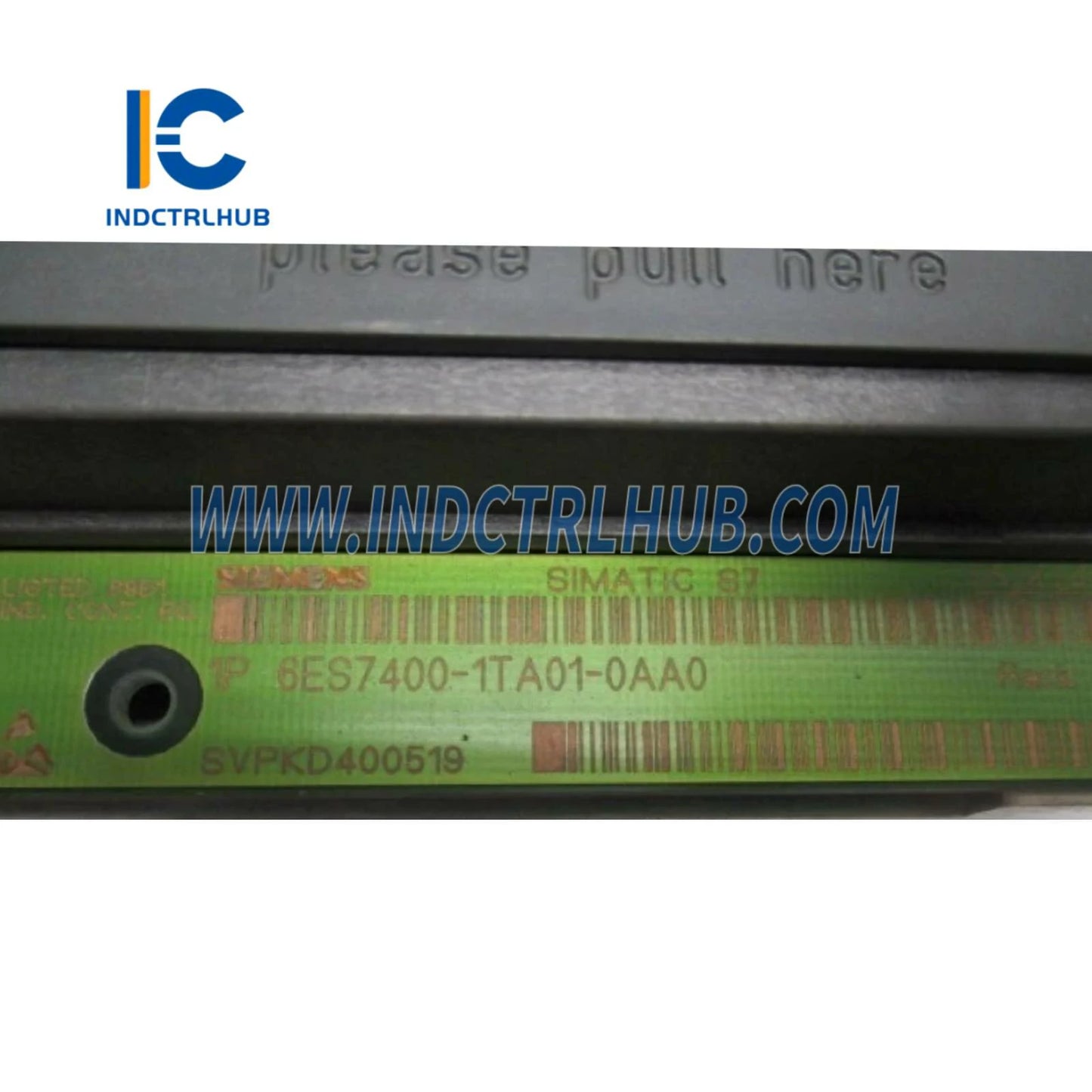
Siemens 6ES7400-1TA01-0AA0 S7-400 Mounting Rack
Siemens 6ES7400-1TA01-0AA0 S7-400 Mounting Rack
Manufacturer: Siemens
Product No.: 6ES7400-1TA01-0AA0
Condition:1000 in stock
Product Type: Mounting Racks
Product Origin: 4019169005838
Payment: T/T, Western Union
Weight: 1000g
Shipping port: Xiamen
Warranty: 12 months
- 24/7 Support
- 30-Day Returns
- Fast Shipping
Siemens 6ES7400-1TA01-0AA0 Universal Rack UR1
9-Slot Aluminum Mounting Rack for SIMATIC S7-400 PLC Systems
The Siemens 6ES7400-1TA01-0AA0 is a precision-engineered universal rack (UR1) designed for SIMATIC S7-400 automation systems. This 9-slot aluminum rack provides the structural foundation for mounting S7-400 CPUs, I/O modules, communication processors, and power supplies in industrial control cabinets.
🏗️ Why Choose the UR1 Rack?
The S7-400 UR1 rack is the backbone of enterprise-level automation, delivering:
- ✅ 9 Module Slots – Optimal capacity for medium-sized control systems
- ✅ Integrated Backplane Bus – High-speed communication between modules (12 Mbps)
- ✅ Precision Alignment – Ensures perfect electrical contact for all modules
- ✅ Robust Construction – Anodized aluminum withstands harsh industrial environments
- ✅ Hot-Swap Support – Replace modules without system shutdown (with redundant configurations)
- ✅ Global Certifications – UL, CE, ATEX approved for worldwide installations
📐 Technical Specifications
| Order Number | 6ES7400-1TA01-0AA0 |
| Product Family | SIMATIC S7-400 |
| Rack Type | UR1 (Universal Rack 1) |
| Slot Count | 9 slots (numbered 1-9) |
| Slot Width | 25mm per slot (standard S7-400 module width) |
| Total Width | Approx. 530mm (20.9 inches) |
| Height | 290mm (11.4 inches) |
| Depth | 219mm (8.6 inches) |
| Material | Anodized aluminum alloy |
| Backplane Bus | Integrated K-bus (12 Mbps data rate) |
| Power Distribution | Via backplane from PS 407 power supply |
| Mounting | Wall-mount or 19" rack-mount (with adapter) |
| Operating Temp | 0°C to +60°C (horizontal mounting) |
| Storage Temp | -40°C to +70°C |
| Humidity | 5% to 95% RH (non-condensing) |
| Vibration Resistance | IEC 60068-2-6 (10-58 Hz) |
| Shock Resistance | IEC 60068-2-27 (15g, 11ms) |
| EMC Compliance | CE, FCC Class A, EN 61000-6-2/4 |
| Safety Certifications | UL 508, cULus, FM, ATEX Zone 2 |
| Protection Rating | IP20 (front panel) |
| Weight | Approx. 2.5 kg (5.5 lbs) |
| MTBF | >200,000 hours |
🔧 Compatible S7-400 Components
CPUs (Slot 2 or 3)
- CPU 412 series (6ES7412-xxxx-xxxx)
- CPU 414 series (6ES7414-xxxx-xxxx)
- CPU 416 series (6ES7416-xxxx-xxxx)
- CPU 417 series (6ES7417-xxxx-xxxx)
Power Supplies (Slot 1)
- PS 407 4A (6ES7407-0KA02-0AA0)
- PS 407 10A (6ES7407-0KR02-0AA0)
- PS 407 20A (6ES7407-0RA02-0AA0)
I/O Modules
- Digital Input: SM 421 series
- Digital Output: SM 422 series
- Analog Input: SM 431 series
- Analog Output: SM 432 series
- Combination: SM 433, SM 434 series
Communication Processors
- CP 443-1 (Ethernet/Industrial Ethernet)
- CP 443-5 (Profibus DP)
- CP 441-2 (Serial communication)
Function Modules
- FM 450 (Counter module)
- FM 451 (Positioning module)
- FM 452 (Cam controller)
- FM 458 (Motion control)
🏗️ System Architecture Guidelines
Slot Assignment Rules
| Slot Number | Recommended Module Type | Notes |
|---|---|---|
| Slot 1 | Power Supply (PS 407) | Mandatory - provides 5V/24V to backplane |
| Slot 2 | CPU or Interface Module | Preferred CPU location for optimal bus access |
| Slot 3 | CPU or Interface Module | Alternative CPU location |
| Slots 4-9 | I/O, CP, FM modules | Flexible assignment based on application |
Expansion Options
Single-Rack System: Up to 9 modules (1 PS + 1 CPU + 7 I/O/CP/FM)
Multi-Rack System: Connect up to 21 racks using UR2 expansion racks and IM 460/461 interface modules for maximum I/O capacity
Redundant Configuration: Use two UR1 racks with redundant CPUs and power supplies for high-availability applications
🏭 Industry Applications
Process Industries
Oil & gas refineries, chemical plants, pharmaceutical manufacturing - where S7-400's high processing power handles complex batch control, recipe management, and regulatory compliance (FDA 21 CFR Part 11).
Power Generation & Distribution
Substations, power plants, renewable energy farms - leveraging S7-400's deterministic performance for SCADA systems, load balancing, and grid synchronization.
Automotive Manufacturing
Body shops, paint lines, final assembly - coordinating hundreds of robots and conveyors with S7-400's multi-rack scalability and Profinet integration.
Water & Wastewater Treatment
Municipal treatment plants, desalination facilities - managing distributed pump stations and filtration systems with S7-400's long-distance communication capabilities.
Building Management Systems
Airports, hospitals, data centers - controlling HVAC, lighting, and security systems across large campuses with centralized S7-400 controllers.
🛠️ Installation Guide
Pre-Installation Checklist
- ✓ Verify cabinet dimensions (minimum 600mm width for UR1 rack)
- ✓ Ensure adequate ventilation (50mm clearance above/below rack)
- ✓ Confirm power supply capacity (calculate total module current draw)
- ✓ Plan cable routing paths for I/O wiring
- ✓ Prepare grounding connection (M6 grounding stud on rack)
Step-by-Step Installation
-
Mount the Rack
- Position rack horizontally in cabinet at desired height
- Use pre-drilled mounting holes to secure rack to cabinet back panel
- Verify rack is level using spirit level (critical for module seating)
- Tighten mounting screws evenly to prevent warping
-
Install Power Supply
- Insert PS 407 module into Slot 1 (leftmost position)
- Ensure module clicks into backplane connector
- Secure module with top and bottom locking screws
- Connect 120/230V AC input power (do not energize yet)
-
Install CPU
- Insert CPU module into Slot 2 or Slot 3
- Verify CPU is fully seated (backplane connector engaged)
- Install memory card (MMC) if required by CPU model
- Connect programming cable (MPI/Profibus or Ethernet)
-
Install I/O and Communication Modules
- Insert modules into Slots 4-9 as per system design
- Leave unused slots empty (no blanking plates required)
- Ensure all modules are locked in place
-
Grounding and Shielding
- Connect rack grounding stud to cabinet ground using 6mm² wire
- Install cable shields to shield connection bar on rack
- Verify continuity between rack and cabinet ground (<0.1Ω)
-
Power-Up and Commissioning
- Energize PS 407 power supply
- Verify green PWR LED on power supply
- Check CPU status LEDs (SF, BF, RUN/STOP)
- Download PLC program using STEP 7 or TIA Portal
- Test all I/O points before final commissioning
⚠️ Common Installation Mistakes
- ❌ Installing CPU in Slot 1 (reserved for power supply only)
- ❌ Mixing S7-300 and S7-400 modules (incompatible backplane)
- ❌ Insufficient power supply capacity (causes voltage drops)
- ❌ Poor grounding (leads to EMI issues and communication errors)
- ❌ Vertical mounting without derating (reduces max operating temperature)
📊 S7-400 Rack Comparison
| Rack Model | Slots | Width | Best For | Order Number |
|---|---|---|---|---|
| UR1 (This Product) | 9 | 530mm | Small to medium systems | 6ES7400-1TA01-0AA0 |
| UR2 | 18 | 830mm | Large systems, expansion racks | 6ES7400-1JA01-0AA0 |
| UR2-H | 18 | 830mm | Redundant H-systems | 6ES7400-1JA11-0AA0 |
| CR2 | 18 | 2000mm | Custom configurations (cut to length) | 6ES7400-2JA00-0AA0 |
Selection Guide: Choose UR1 for compact systems with up to 7 I/O modules. Upgrade to UR2 for larger applications or when planning multi-rack expansion.
🔧 Troubleshooting Guide
| Symptom | Possible Cause | Solution |
|---|---|---|
| CPU won't start (SF LED red) | Insufficient power supply capacity | Upgrade to higher-capacity PS 407 (10A or 20A) |
| Module not recognized | Poor backplane contact | Remove and reseat module, verify locking screws tight |
| Intermittent communication errors | EMI interference | Improve grounding, separate I/O cables from power cables |
| Backplane bus fault (BF LED) | Damaged backplane connector | Inspect connector pins, replace rack if damaged |
| Overheating modules | Insufficient ventilation | Increase clearance, add forced-air cooling if needed |
🛡️ Authenticity Guarantee
⚠️ Counterfeit Rack Risks
Non-genuine S7-400 racks can cause catastrophic failures:
- 🔥 Backplane bus failures leading to complete system shutdown
- ⚡ Voltage irregularities damaging expensive CPU and I/O modules
- 💥 Structural failures under module weight (inferior aluminum alloys)
- 🚫 Voided Siemens warranty on all installed modules
- ⚖️ Regulatory non-compliance (UL/CE certification issues)
✅ Industrial Control Hub Guarantee
- 🔒 100% Genuine Siemens – Factory-sealed packaging with holographic labels
- 📜 Full Traceability – Serial numbers and manufacturing dates on every rack
- 🌍 Authorized Distributor – Verify our credentials at Siemens Industry Mall
- 🛡️ 24-Month Warranty – Manufacturer warranty honored globally
- 📦 Protective Packaging – Custom foam inserts prevent shipping damage
- 📞 Technical Support – Pre-sales consultation and post-purchase assistance
📦 Package Contents
- 1× Siemens 6ES7400-1TA01-0AA0 UR1 rack (9-slot)
- Integrated backplane bus with K-bus connectors
- Mounting hardware kit (screws and spacers)
- Grounding stud (M6 thread)
- Product documentation and certificate of conformity
Note: Modules, power supply, and cables are NOT included. Order separately based on your system requirements.
🔗 Essential Accessories
- Power Supply: PS 407 4A (6ES7407-0KA02-0AA0) - minimum requirement
- CPU: CPU 414-3 PN/DP (6ES7414-3EM07-0AB0) - popular choice
- Programming Cable: PC Adapter USB (6ES7972-0CB20-0XA0)
- Memory Card: MMC 8MB (6ES7953-8LM31-0AA0)
- 19" Rack Adapter: For standard server rack mounting (6ES7400-0HR00-0AB0)
🤝 Technical Support
Industrial Control Hub provides comprehensive support:
- 📧 System Design Assistance – Email us your I/O list for rack sizing recommendations
- 📚 Documentation Library – Access Siemens manuals, CAD drawings, and wiring diagrams
- 🎓 Training Resources – Video tutorials on S7-400 installation and configuration
- 🔄 30-Day Returns – Hassle-free returns if unused and in original packaging
- 🌐 Global Shipping – Worldwide delivery with tracking and insurance
❓ Frequently Asked Questions
Q: Can I use S7-300 modules in this rack?
A: No, S7-300 and S7-400 modules are not interchangeable. They have different backplane connectors and voltage requirements.
Q: How many I/O points can I connect to a UR1 rack?
A: Depends on module types. With 7 I/O slots, you could have up to 224 digital I/O points (using 32-channel modules) or 56 analog channels (using 8-channel modules).
Q: Can I expand beyond 9 slots?
A: Yes, use IM 460/461 interface modules to connect UR2 expansion racks. S7-400 supports up to 21 racks in a single system.
Q: What's the difference between UR1 and UR2?
A: UR1 has 9 slots (530mm width), UR2 has 18 slots (830mm width). UR2 is used for larger systems or as expansion racks.
Q: Do I need a fan for cooling?
A: Not typically. Natural convection is sufficient if you maintain 50mm clearance above/below the rack. Forced-air cooling may be needed in hot environments (>50°C ambient).
Q: Can I mount the rack vertically?
A: Yes, but you must derate the maximum operating temperature to 40°C (instead of 60°C for horizontal mounting).


Product Description
Siemens 6ES7400-1TA01-0AA0 Universal Rack UR1
9-Slot Aluminum Mounting Rack for SIMATIC S7-400 PLC Systems
The Siemens 6ES7400-1TA01-0AA0 is a precision-engineered universal rack (UR1) designed for SIMATIC S7-400 automation systems. This 9-slot aluminum rack provides the structural foundation for mounting S7-400 CPUs, I/O modules, communication processors, and power supplies in industrial control cabinets.
🏗️ Why Choose the UR1 Rack?
The S7-400 UR1 rack is the backbone of enterprise-level automation, delivering:
- ✅ 9 Module Slots – Optimal capacity for medium-sized control systems
- ✅ Integrated Backplane Bus – High-speed communication between modules (12 Mbps)
- ✅ Precision Alignment – Ensures perfect electrical contact for all modules
- ✅ Robust Construction – Anodized aluminum withstands harsh industrial environments
- ✅ Hot-Swap Support – Replace modules without system shutdown (with redundant configurations)
- ✅ Global Certifications – UL, CE, ATEX approved for worldwide installations
📐 Technical Specifications
| Order Number | 6ES7400-1TA01-0AA0 |
| Product Family | SIMATIC S7-400 |
| Rack Type | UR1 (Universal Rack 1) |
| Slot Count | 9 slots (numbered 1-9) |
| Slot Width | 25mm per slot (standard S7-400 module width) |
| Total Width | Approx. 530mm (20.9 inches) |
| Height | 290mm (11.4 inches) |
| Depth | 219mm (8.6 inches) |
| Material | Anodized aluminum alloy |
| Backplane Bus | Integrated K-bus (12 Mbps data rate) |
| Power Distribution | Via backplane from PS 407 power supply |
| Mounting | Wall-mount or 19" rack-mount (with adapter) |
| Operating Temp | 0°C to +60°C (horizontal mounting) |
| Storage Temp | -40°C to +70°C |
| Humidity | 5% to 95% RH (non-condensing) |
| Vibration Resistance | IEC 60068-2-6 (10-58 Hz) |
| Shock Resistance | IEC 60068-2-27 (15g, 11ms) |
| EMC Compliance | CE, FCC Class A, EN 61000-6-2/4 |
| Safety Certifications | UL 508, cULus, FM, ATEX Zone 2 |
| Protection Rating | IP20 (front panel) |
| Weight | Approx. 2.5 kg (5.5 lbs) |
| MTBF | >200,000 hours |
🔧 Compatible S7-400 Components
CPUs (Slot 2 or 3)
- CPU 412 series (6ES7412-xxxx-xxxx)
- CPU 414 series (6ES7414-xxxx-xxxx)
- CPU 416 series (6ES7416-xxxx-xxxx)
- CPU 417 series (6ES7417-xxxx-xxxx)
Power Supplies (Slot 1)
- PS 407 4A (6ES7407-0KA02-0AA0)
- PS 407 10A (6ES7407-0KR02-0AA0)
- PS 407 20A (6ES7407-0RA02-0AA0)
I/O Modules
- Digital Input: SM 421 series
- Digital Output: SM 422 series
- Analog Input: SM 431 series
- Analog Output: SM 432 series
- Combination: SM 433, SM 434 series
Communication Processors
- CP 443-1 (Ethernet/Industrial Ethernet)
- CP 443-5 (Profibus DP)
- CP 441-2 (Serial communication)
Function Modules
- FM 450 (Counter module)
- FM 451 (Positioning module)
- FM 452 (Cam controller)
- FM 458 (Motion control)
🏗️ System Architecture Guidelines
Slot Assignment Rules
| Slot Number | Recommended Module Type | Notes |
|---|---|---|
| Slot 1 | Power Supply (PS 407) | Mandatory - provides 5V/24V to backplane |
| Slot 2 | CPU or Interface Module | Preferred CPU location for optimal bus access |
| Slot 3 | CPU or Interface Module | Alternative CPU location |
| Slots 4-9 | I/O, CP, FM modules | Flexible assignment based on application |
Expansion Options
Single-Rack System: Up to 9 modules (1 PS + 1 CPU + 7 I/O/CP/FM)
Multi-Rack System: Connect up to 21 racks using UR2 expansion racks and IM 460/461 interface modules for maximum I/O capacity
Redundant Configuration: Use two UR1 racks with redundant CPUs and power supplies for high-availability applications
🏭 Industry Applications
Process Industries
Oil & gas refineries, chemical plants, pharmaceutical manufacturing - where S7-400's high processing power handles complex batch control, recipe management, and regulatory compliance (FDA 21 CFR Part 11).
Power Generation & Distribution
Substations, power plants, renewable energy farms - leveraging S7-400's deterministic performance for SCADA systems, load balancing, and grid synchronization.
Automotive Manufacturing
Body shops, paint lines, final assembly - coordinating hundreds of robots and conveyors with S7-400's multi-rack scalability and Profinet integration.
Water & Wastewater Treatment
Municipal treatment plants, desalination facilities - managing distributed pump stations and filtration systems with S7-400's long-distance communication capabilities.
Building Management Systems
Airports, hospitals, data centers - controlling HVAC, lighting, and security systems across large campuses with centralized S7-400 controllers.
🛠️ Installation Guide
Pre-Installation Checklist
- ✓ Verify cabinet dimensions (minimum 600mm width for UR1 rack)
- ✓ Ensure adequate ventilation (50mm clearance above/below rack)
- ✓ Confirm power supply capacity (calculate total module current draw)
- ✓ Plan cable routing paths for I/O wiring
- ✓ Prepare grounding connection (M6 grounding stud on rack)
Step-by-Step Installation
-
Mount the Rack
- Position rack horizontally in cabinet at desired height
- Use pre-drilled mounting holes to secure rack to cabinet back panel
- Verify rack is level using spirit level (critical for module seating)
- Tighten mounting screws evenly to prevent warping
-
Install Power Supply
- Insert PS 407 module into Slot 1 (leftmost position)
- Ensure module clicks into backplane connector
- Secure module with top and bottom locking screws
- Connect 120/230V AC input power (do not energize yet)
-
Install CPU
- Insert CPU module into Slot 2 or Slot 3
- Verify CPU is fully seated (backplane connector engaged)
- Install memory card (MMC) if required by CPU model
- Connect programming cable (MPI/Profibus or Ethernet)
-
Install I/O and Communication Modules
- Insert modules into Slots 4-9 as per system design
- Leave unused slots empty (no blanking plates required)
- Ensure all modules are locked in place
-
Grounding and Shielding
- Connect rack grounding stud to cabinet ground using 6mm² wire
- Install cable shields to shield connection bar on rack
- Verify continuity between rack and cabinet ground (<0.1Ω)
-
Power-Up and Commissioning
- Energize PS 407 power supply
- Verify green PWR LED on power supply
- Check CPU status LEDs (SF, BF, RUN/STOP)
- Download PLC program using STEP 7 or TIA Portal
- Test all I/O points before final commissioning
⚠️ Common Installation Mistakes
- ❌ Installing CPU in Slot 1 (reserved for power supply only)
- ❌ Mixing S7-300 and S7-400 modules (incompatible backplane)
- ❌ Insufficient power supply capacity (causes voltage drops)
- ❌ Poor grounding (leads to EMI issues and communication errors)
- ❌ Vertical mounting without derating (reduces max operating temperature)
📊 S7-400 Rack Comparison
| Rack Model | Slots | Width | Best For | Order Number |
|---|---|---|---|---|
| UR1 (This Product) | 9 | 530mm | Small to medium systems | 6ES7400-1TA01-0AA0 |
| UR2 | 18 | 830mm | Large systems, expansion racks | 6ES7400-1JA01-0AA0 |
| UR2-H | 18 | 830mm | Redundant H-systems | 6ES7400-1JA11-0AA0 |
| CR2 | 18 | 2000mm | Custom configurations (cut to length) | 6ES7400-2JA00-0AA0 |
Selection Guide: Choose UR1 for compact systems with up to 7 I/O modules. Upgrade to UR2 for larger applications or when planning multi-rack expansion.
🔧 Troubleshooting Guide
| Symptom | Possible Cause | Solution |
|---|---|---|
| CPU won't start (SF LED red) | Insufficient power supply capacity | Upgrade to higher-capacity PS 407 (10A or 20A) |
| Module not recognized | Poor backplane contact | Remove and reseat module, verify locking screws tight |
| Intermittent communication errors | EMI interference | Improve grounding, separate I/O cables from power cables |
| Backplane bus fault (BF LED) | Damaged backplane connector | Inspect connector pins, replace rack if damaged |
| Overheating modules | Insufficient ventilation | Increase clearance, add forced-air cooling if needed |
🛡️ Authenticity Guarantee
⚠️ Counterfeit Rack Risks
Non-genuine S7-400 racks can cause catastrophic failures:
- 🔥 Backplane bus failures leading to complete system shutdown
- ⚡ Voltage irregularities damaging expensive CPU and I/O modules
- 💥 Structural failures under module weight (inferior aluminum alloys)
- 🚫 Voided Siemens warranty on all installed modules
- ⚖️ Regulatory non-compliance (UL/CE certification issues)
✅ Industrial Control Hub Guarantee
- 🔒 100% Genuine Siemens – Factory-sealed packaging with holographic labels
- 📜 Full Traceability – Serial numbers and manufacturing dates on every rack
- 🌍 Authorized Distributor – Verify our credentials at Siemens Industry Mall
- 🛡️ 24-Month Warranty – Manufacturer warranty honored globally
- 📦 Protective Packaging – Custom foam inserts prevent shipping damage
- 📞 Technical Support – Pre-sales consultation and post-purchase assistance
📦 Package Contents
- 1× Siemens 6ES7400-1TA01-0AA0 UR1 rack (9-slot)
- Integrated backplane bus with K-bus connectors
- Mounting hardware kit (screws and spacers)
- Grounding stud (M6 thread)
- Product documentation and certificate of conformity
Note: Modules, power supply, and cables are NOT included. Order separately based on your system requirements.
🔗 Essential Accessories
- Power Supply: PS 407 4A (6ES7407-0KA02-0AA0) - minimum requirement
- CPU: CPU 414-3 PN/DP (6ES7414-3EM07-0AB0) - popular choice
- Programming Cable: PC Adapter USB (6ES7972-0CB20-0XA0)
- Memory Card: MMC 8MB (6ES7953-8LM31-0AA0)
- 19" Rack Adapter: For standard server rack mounting (6ES7400-0HR00-0AB0)
🤝 Technical Support
Industrial Control Hub provides comprehensive support:
- 📧 System Design Assistance – Email us your I/O list for rack sizing recommendations
- 📚 Documentation Library – Access Siemens manuals, CAD drawings, and wiring diagrams
- 🎓 Training Resources – Video tutorials on S7-400 installation and configuration
- 🔄 30-Day Returns – Hassle-free returns if unused and in original packaging
- 🌐 Global Shipping – Worldwide delivery with tracking and insurance
❓ Frequently Asked Questions
Q: Can I use S7-300 modules in this rack?
A: No, S7-300 and S7-400 modules are not interchangeable. They have different backplane connectors and voltage requirements.
Q: How many I/O points can I connect to a UR1 rack?
A: Depends on module types. With 7 I/O slots, you could have up to 224 digital I/O points (using 32-channel modules) or 56 analog channels (using 8-channel modules).
Q: Can I expand beyond 9 slots?
A: Yes, use IM 460/461 interface modules to connect UR2 expansion racks. S7-400 supports up to 21 racks in a single system.
Q: What's the difference between UR1 and UR2?
A: UR1 has 9 slots (530mm width), UR2 has 18 slots (830mm width). UR2 is used for larger systems or as expansion racks.
Q: Do I need a fan for cooling?
A: Not typically. Natural convection is sufficient if you maintain 50mm clearance above/below the rack. Forced-air cooling may be needed in hot environments (>50°C ambient).
Q: Can I mount the rack vertically?
A: Yes, but you must derate the maximum operating temperature to 40°C (instead of 60°C for horizontal mounting).