

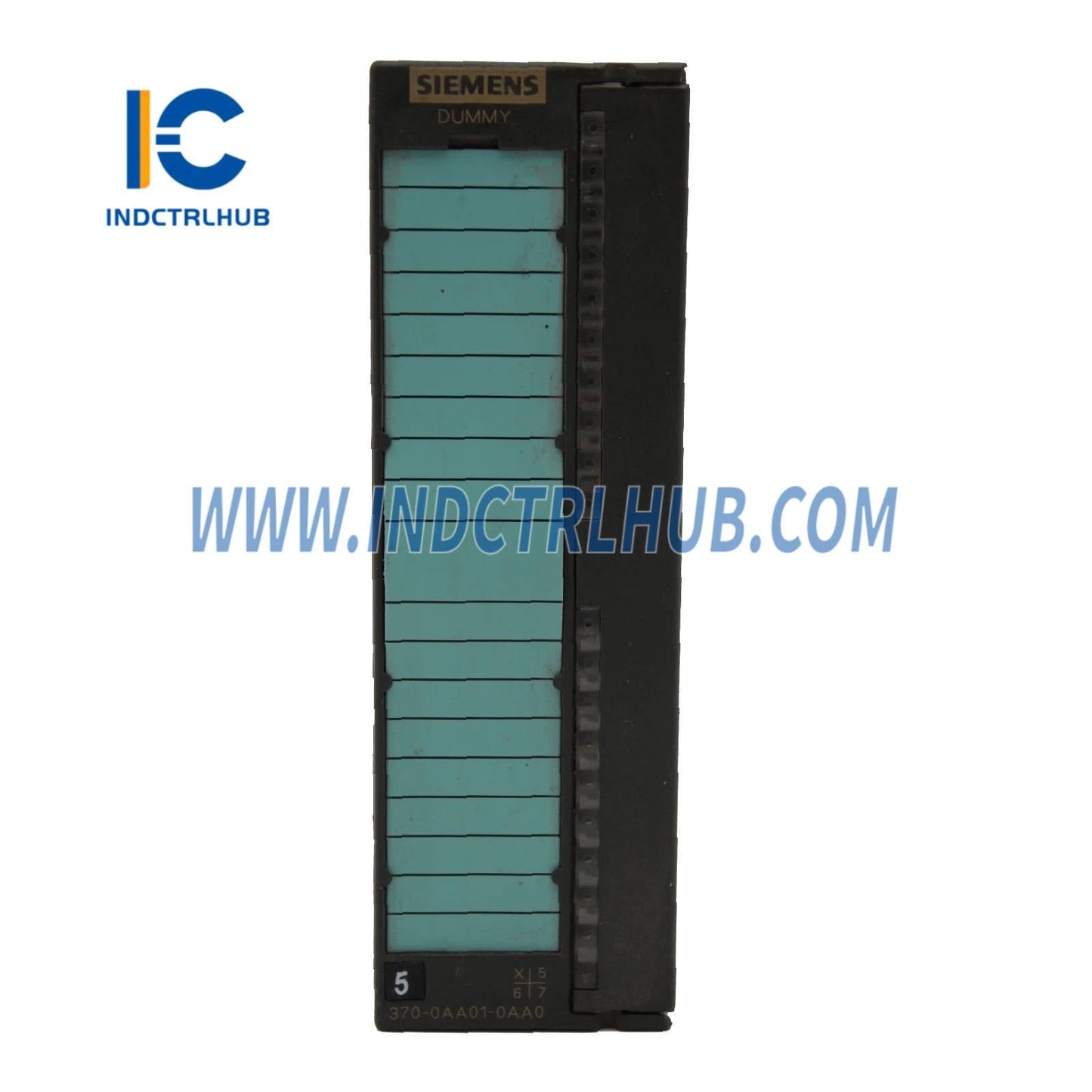
Siemens 6ES7370-0AA01-0AA0 Bus Module Dummy Plug for S7-300 PLC
Siemens 6ES7370-0AA01-0AA0 Bus Module Dummy Plug for S7-300 PLC
Manufacturer: Siemens
Product No.: 6ES7370-0AA01-0AA0
Condition:1000 in stock
Product Type: PLC Accessories
Product Origin: 4019169007054
Payment: T/T, Western Union
Weight: 1000g
Shipping port: Xiamen
Warranty: 12 months
- 24/7 Support
- 30-Day Returns
- Fast Shipping
Siemens 6ES7370-0AA01-0AA0 Bus Module (Dummy Plug)
Essential Slot Filler for S7-300 PLC Rack Integrity
The Siemens 6ES7370-0AA01-0AA0 is a bus module (also known as a dummy plug or blank module) designed to maintain backplane bus continuity in S7-300 PLC racks. This critical component ensures proper electrical termination and prevents dust ingress in unused slots while preserving system reliability.
Why Do You Need a Bus Module?
The Problem: Empty slots in S7-300 racks create gaps in the backplane bus, potentially causing communication errors, EMI susceptibility, and contamination from dust or debris entering the rack.
The Solution: The 6ES7370-0AA01-0AA0 bus module fills unused slots to:
-
✅ Maintain backplane bus electrical continuity
-
✅ Provide proper signal termination
-
✅ Protect internal components from dust and foreign objects
-
✅ Ensure compliance with Siemens installation guidelines
-
✅ Prevent accidental contact with live backplane connectors
Technical Specifications
| Order Number | 6ES7370-0AA01-0AA0 |
| Product Type | Bus Module (Dummy Plug) |
| Compatibility | All S7-300 racks (UR1, UR2, CR2) |
| Slot Width | Single slot (40mm) |
| Function | Backplane bus continuity and slot protection |
| Power Consumption | 0W (passive component) |
| Operating Temp | 0°C to +60°C |
| Protection Rating | IP20 (front panel) |
| Dimensions (W×H×D) | 40mm × 125mm × 120mm |
| Weight | Approx. 100g |
| Material | High-impact plastic housing |
| Color | Dark gray (RAL 7021) |
| Certifications | CE, UL, cULus |
When Should You Use Bus Modules?
Scenario 1: Initial System Design
You're building a new S7-300 system with room for future expansion. Install bus modules in unused slots to maintain rack integrity until you add more I/O modules.
Scenario 2: Module Removal
You've removed a faulty or obsolete module for replacement or system reconfiguration. Use a bus module as a temporary placeholder to keep the system operational.
Scenario 3: Harsh Environments
Your PLC operates in dusty, humid, or contaminated environments (food processing, mining, chemical plants). Bus modules prevent foreign material from entering the rack through empty slots.
Scenario 4: Safety Compliance
Regulatory standards (UL, CE) may require all unused slots to be covered to prevent accidental contact with live backplane connectors.
Installation Instructions
-
Power Down – De-energize the S7-300 rack before installation
-
Identify Empty Slots – Locate all unused slots in your rack configuration
-
Insert Bus Module – Align the module with the slot and slide it onto the mounting rail until it clicks into place
-
Secure Module – Tighten the top and bottom mounting screws (hand-tight, no tools required)
-
Verify Fit – Ensure the module is flush with adjacent modules and properly seated on the backplane connector
-
Power Up – Re-energize the rack and verify normal operation
💡 Pro Tip: Always keep spare bus modules on hand for quick replacement during maintenance or troubleshooting.
System Compatibility
Compatible Racks:
-
UR1 – Universal rack with 4 slots
-
UR2 – Universal rack with 9 slots
-
CR2 – Central rack with 9 slots (for multi-rack systems)
Compatible CPUs: All S7-300 series CPUs (CPU 312, 313, 314, 315, 316, 317, 318, 319)
Not Compatible With: S7-400 systems (use 6ES7390-5AA00-0AA0 for S7-400)
Frequently Asked Questions
Q: Is the bus module electrically active?
A: No, it's a passive component that provides mechanical slot filling and electrical continuity. It consumes no power.
Q: Can I leave slots empty instead of using bus modules?
A: While the system may function, Siemens strongly recommends using bus modules to ensure proper bus termination, prevent dust ingress, and comply with safety standards.
Q: How many bus modules do I need?
A: One bus module per empty slot. For example, if you have a 9-slot UR2 rack with 5 modules installed, you need 4 bus modules (Slot 3 is reserved for interface modules in multi-rack systems).
Q: Can I use this module in S7-400 systems?
A: No, S7-400 requires a different bus module (6ES7390-5AA00-0AA0). The S7-300 and S7-400 backplane connectors are not interchangeable.
Q: Does the bus module affect system performance?
A: No, it has no impact on CPU performance, scan time, or communication speed. It's purely a mechanical and electrical continuity component.
Q: Can I hot-swap bus modules?
A: While technically possible, Siemens recommends powering down the rack to prevent potential backplane damage or ESD issues.
Best Practices
-
🔧 Always Fill All Slots – Never leave slots empty in production systems
-
📦 Order in Bulk – Bus modules are inexpensive; keep 5-10 spares in your maintenance inventory
-
🧹 Clean Before Installation – Wipe modules with a dry cloth to remove dust before inserting into racks
-
🔒 Secure Properly – Tighten mounting screws to prevent vibration-induced loosening in mobile or high-vibration applications
-
📋 Document Configuration – Mark empty slots in your system documentation for future expansion planning
Quality Assurance
100% Genuine Siemens Product
-
🔒 Factory-sealed packaging with Siemens holographic labels
-
📜 Full traceability with batch codes and manufacturing dates
-
✅ Authorized distributor – verify at Siemens Industry Mall
-
🛡️ 24-month manufacturer warranty
-
⚠️ Counterfeit modules may not provide proper bus continuity, leading to intermittent system errors
What's Included:
-
1× Siemens 6ES7370-0AA01-0AA0 bus module
-
Integrated mounting screws (pre-installed)
-
Product documentation
Technical Support
Industrial Control Hub provides comprehensive support:
-
📧 Pre-sales consultation for rack configuration planning
-
📚 Access to Siemens installation manuals and guidelines
-
🔧 Post-purchase technical assistance
-
🔄 30-day hassle-free returns (unused, original packaging)
Related Products
-
S7-300 Mounting Rail (6ES7390-1AE80-0AA0) – Standard 530mm rail for rack assembly
-
PS 307 Power Supply (6ES7307-1EA01-0AA0) – 5A power supply for S7-300 racks
-
IM 360 Interface Module (6ES7360-3AA01-0AA0) – For multi-rack expansion
Product Description
Siemens 6ES7370-0AA01-0AA0 Bus Module (Dummy Plug)
Essential Slot Filler for S7-300 PLC Rack Integrity
The Siemens 6ES7370-0AA01-0AA0 is a bus module (also known as a dummy plug or blank module) designed to maintain backplane bus continuity in S7-300 PLC racks. This critical component ensures proper electrical termination and prevents dust ingress in unused slots while preserving system reliability.
Why Do You Need a Bus Module?
The Problem: Empty slots in S7-300 racks create gaps in the backplane bus, potentially causing communication errors, EMI susceptibility, and contamination from dust or debris entering the rack.
The Solution: The 6ES7370-0AA01-0AA0 bus module fills unused slots to:
-
✅ Maintain backplane bus electrical continuity
-
✅ Provide proper signal termination
-
✅ Protect internal components from dust and foreign objects
-
✅ Ensure compliance with Siemens installation guidelines
-
✅ Prevent accidental contact with live backplane connectors
Technical Specifications
| Order Number | 6ES7370-0AA01-0AA0 |
| Product Type | Bus Module (Dummy Plug) |
| Compatibility | All S7-300 racks (UR1, UR2, CR2) |
| Slot Width | Single slot (40mm) |
| Function | Backplane bus continuity and slot protection |
| Power Consumption | 0W (passive component) |
| Operating Temp | 0°C to +60°C |
| Protection Rating | IP20 (front panel) |
| Dimensions (W×H×D) | 40mm × 125mm × 120mm |
| Weight | Approx. 100g |
| Material | High-impact plastic housing |
| Color | Dark gray (RAL 7021) |
| Certifications | CE, UL, cULus |
When Should You Use Bus Modules?
Scenario 1: Initial System Design
You're building a new S7-300 system with room for future expansion. Install bus modules in unused slots to maintain rack integrity until you add more I/O modules.
Scenario 2: Module Removal
You've removed a faulty or obsolete module for replacement or system reconfiguration. Use a bus module as a temporary placeholder to keep the system operational.
Scenario 3: Harsh Environments
Your PLC operates in dusty, humid, or contaminated environments (food processing, mining, chemical plants). Bus modules prevent foreign material from entering the rack through empty slots.
Scenario 4: Safety Compliance
Regulatory standards (UL, CE) may require all unused slots to be covered to prevent accidental contact with live backplane connectors.
Installation Instructions
-
Power Down – De-energize the S7-300 rack before installation
-
Identify Empty Slots – Locate all unused slots in your rack configuration
-
Insert Bus Module – Align the module with the slot and slide it onto the mounting rail until it clicks into place
-
Secure Module – Tighten the top and bottom mounting screws (hand-tight, no tools required)
-
Verify Fit – Ensure the module is flush with adjacent modules and properly seated on the backplane connector
-
Power Up – Re-energize the rack and verify normal operation
💡 Pro Tip: Always keep spare bus modules on hand for quick replacement during maintenance or troubleshooting.
System Compatibility
Compatible Racks:
-
UR1 – Universal rack with 4 slots
-
UR2 – Universal rack with 9 slots
-
CR2 – Central rack with 9 slots (for multi-rack systems)
Compatible CPUs: All S7-300 series CPUs (CPU 312, 313, 314, 315, 316, 317, 318, 319)
Not Compatible With: S7-400 systems (use 6ES7390-5AA00-0AA0 for S7-400)
Frequently Asked Questions
Q: Is the bus module electrically active?
A: No, it's a passive component that provides mechanical slot filling and electrical continuity. It consumes no power.
Q: Can I leave slots empty instead of using bus modules?
A: While the system may function, Siemens strongly recommends using bus modules to ensure proper bus termination, prevent dust ingress, and comply with safety standards.
Q: How many bus modules do I need?
A: One bus module per empty slot. For example, if you have a 9-slot UR2 rack with 5 modules installed, you need 4 bus modules (Slot 3 is reserved for interface modules in multi-rack systems).
Q: Can I use this module in S7-400 systems?
A: No, S7-400 requires a different bus module (6ES7390-5AA00-0AA0). The S7-300 and S7-400 backplane connectors are not interchangeable.
Q: Does the bus module affect system performance?
A: No, it has no impact on CPU performance, scan time, or communication speed. It's purely a mechanical and electrical continuity component.
Q: Can I hot-swap bus modules?
A: While technically possible, Siemens recommends powering down the rack to prevent potential backplane damage or ESD issues.
Best Practices
-
🔧 Always Fill All Slots – Never leave slots empty in production systems
-
📦 Order in Bulk – Bus modules are inexpensive; keep 5-10 spares in your maintenance inventory
-
🧹 Clean Before Installation – Wipe modules with a dry cloth to remove dust before inserting into racks
-
🔒 Secure Properly – Tighten mounting screws to prevent vibration-induced loosening in mobile or high-vibration applications
-
📋 Document Configuration – Mark empty slots in your system documentation for future expansion planning
Quality Assurance
100% Genuine Siemens Product
-
🔒 Factory-sealed packaging with Siemens holographic labels
-
📜 Full traceability with batch codes and manufacturing dates
-
✅ Authorized distributor – verify at Siemens Industry Mall
-
🛡️ 24-month manufacturer warranty
-
⚠️ Counterfeit modules may not provide proper bus continuity, leading to intermittent system errors
What's Included:
-
1× Siemens 6ES7370-0AA01-0AA0 bus module
-
Integrated mounting screws (pre-installed)
-
Product documentation
Technical Support
Industrial Control Hub provides comprehensive support:
-
📧 Pre-sales consultation for rack configuration planning
-
📚 Access to Siemens installation manuals and guidelines
-
🔧 Post-purchase technical assistance
-
🔄 30-day hassle-free returns (unused, original packaging)
Related Products
-
S7-300 Mounting Rail (6ES7390-1AE80-0AA0) – Standard 530mm rail for rack assembly
-
PS 307 Power Supply (6ES7307-1EA01-0AA0) – 5A power supply for S7-300 racks
-
IM 360 Interface Module (6ES7360-3AA01-0AA0) – For multi-rack expansion