

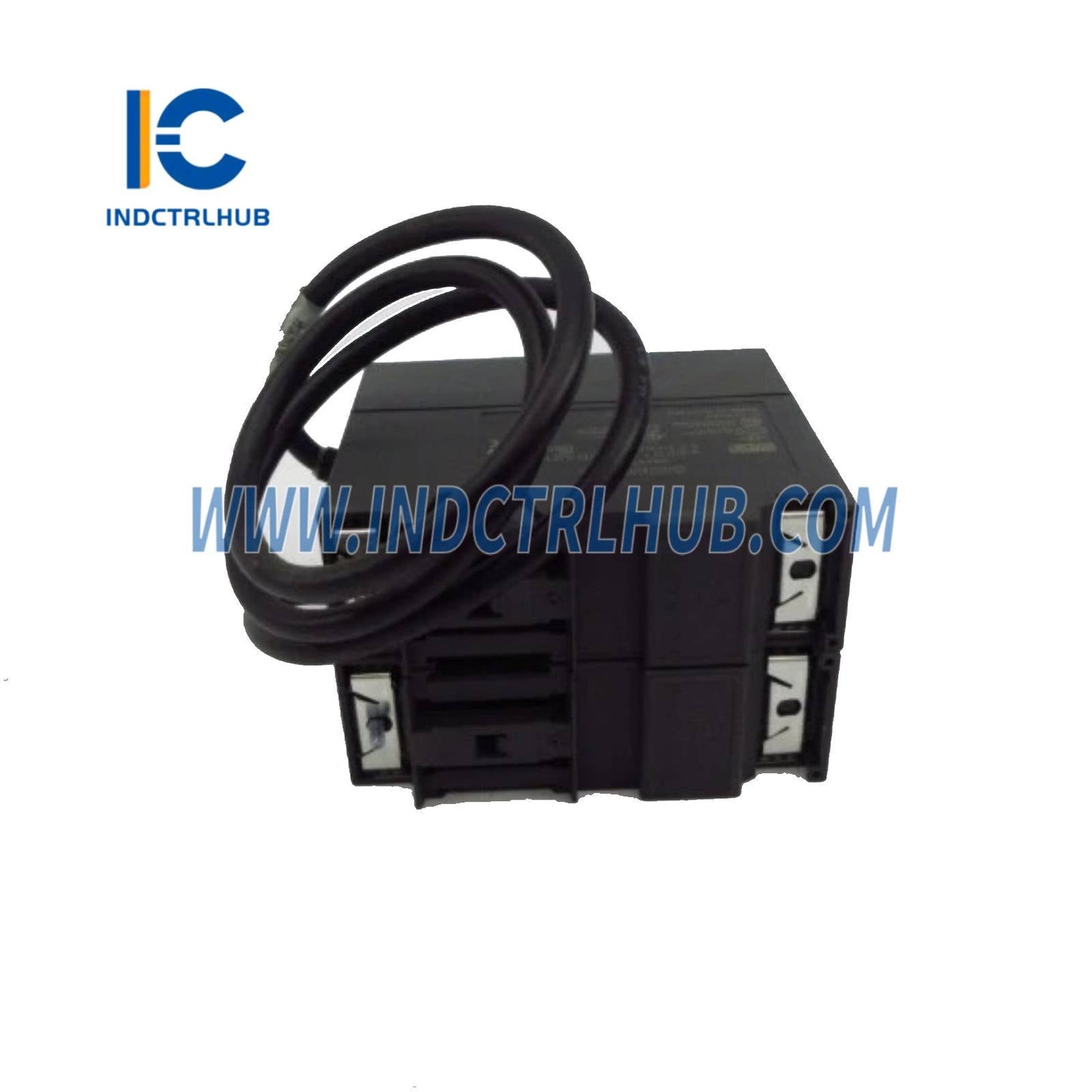
Siemens 6ES7365-0BA01-0AA0 Interface Module IM 365 for S7-300 Expansion
Siemens 6ES7365-0BA01-0AA0 Interface Module IM 365 for S7-300 Expansion
Manufacturer: Siemens
Product No.: 6ES7365-0BA01-0AA0
Condition:1000 in stock
Product Type: Interface Modules
Product Origin: 4019169006675
Payment: T/T, Western Union
Weight: 1000g
Shipping port: Xiamen
Warranty: 12 months
- 24/7 Support
- 30-Day Returns
- Fast Shipping
🔌 Siemens 6ES7365-0BA01-0AA0 IM 365 Interface Module
The Essential Link for S7-300 Multi-Rack Architectures
Why IM 365 is Critical for Your Automation Infrastructure
When your S7-300 control system outgrows a single rack, the Siemens 6ES7365-0BA01-0AA0 IM 365 becomes your lifeline. This interface module enables transparent, high-speed communication between your central controller and expansion racks—without the complexity of fieldbus networks or the latency of distributed I/O.
-
🚀 Zero Configuration Required – STEP 7 auto-detects rack topology
-
⚡ Microsecond Response Times – Deterministic backplane communication
-
🔧 Hot-Swap Capable – Replace modules without system shutdown (with proper precautions)
-
📊 Integrated Diagnostics – Real-time fault monitoring via CPU
-
💰 Cost-Effective Scaling – Expand I/O without upgrading to S7-400
📋 Complete Technical Data Sheet
| Parameter | Specification |
|---|---|
| Article Number | 6ES7365-0BA01-0AA0 |
| Product Family | SIMATIC S7-300 |
| Module Type | IM 365 Interface Module (Expansion Side) |
| Function | Connects expansion racks to central rack via IM 360/361 |
| Max Expansion Distance | Up to 10 meters (with IM 365 cable) |
| Supported Racks | UR1, UR2, CR2 (S7-300 standard racks) |
| Mounting Slot | Slot 3 (fixed position in expansion rack) |
| Data Transfer Rate | 1.5 Mbps (S7-300 backplane bus) |
| Power Supply | Powered via backplane (no external supply needed) |
| Current Consumption | Typ. 80 mA @ 5V DC |
| Power Dissipation | Approx. 1.5W |
| Operating Voltage | DC 5V (from rack power supply) |
| Ambient Temperature | 0°C to +60°C (horizontal mounting) 0°C to +40°C (vertical mounting) |
| Storage Temperature | -40°C to +70°C |
| Relative Humidity | 5% to 95% (non-condensing) |
| Vibration Resistance | IEC 60068-2-6 (10-58 Hz, 0.075mm amplitude) |
| Shock Resistance | IEC 60068-2-27 (15g, 11ms half-sine) |
| EMC Compliance | CE, FCC Class A, EN 61000-6-2/4 |
| Safety Certifications | UL 508, cULus, FM Class I Div 2, ATEX Zone 2 |
| Protection Rating | IP20 (front panel) |
| Dimensions (W×H×D) | 40mm × 125mm × 120mm |
| Weight | Approx. 150g |
| MTBF | >150,000 hours (MIL-HDBK-217F) |
| Warranty Period | 24 months (manufacturer warranty) |
🏗️ System Architecture & Compatibility
Rack Configuration Requirements
Central Rack Setup:
-
Install IM 360 or IM 361 in Slot 3 of the central rack
-
Compatible with all S7-300 CPUs (CPU 312 and higher recommended for multi-rack)
Expansion Rack Setup:
-
Install IM 365 (this module) in Slot 3 of each expansion rack
-
Use dedicated IM 365 interface cable to connect to central IM 360/361
-
Support for up to 3 expansion racks (4 racks total including central)
Cable Selection Guide
| Cable Length | Order Number | Typical Use Case |
|---|---|---|
| 1 meter | 6ES7368-3BB01-0AA0 | Adjacent racks in compact panels |
| 2.5 meters | 6ES7368-3BC51-0AA0 | Standard cabinet installations |
| 5 meters | 6ES7368-3BF01-0AA0 | Multi-cabinet systems |
| 10 meters | 6ES7368-3CA01-0AA0 | Maximum distance applications |
🎯 Industry-Specific Applications
🏭 Automotive Manufacturing
Challenge: A body-in-white welding line requires 120+ I/O points distributed across 8 robot stations.
Solution: Deploy 3 expansion racks with IM 365 modules to distribute digital I/O modules close to each welding cell, minimizing cable runs and reducing EMI susceptibility.
Result: 40% reduction in wiring costs, improved signal integrity, faster commissioning.
💧 Water & Wastewater Treatment
Challenge: SCADA system needs to monitor 64 analog sensors (pH, flow, level) across a 50-meter treatment plant.
Solution: Use IM 365 to connect expansion racks housing FM 350/355 analog input modules near sensor clusters, with centralized S7-300 CPU for control logic.
Result: Reduced analog signal degradation, simplified troubleshooting, modular expansion capability.
📦 Packaging & Material Handling
Challenge: High-speed conveyor system requires 32 high-speed counters for product tracking and reject sorting.
Solution: Install FM 350 counter modules in expansion racks connected via IM 365, keeping counter modules physically close to encoder inputs.
Result: Deterministic counting performance, easy addition of new conveyor zones.
🔧 Installation & Commissioning Guide
Step-by-Step Procedure
-
Pre-Installation Checks
-
Verify rack power supply capacity (PS 307 recommended for multi-rack)
-
Confirm Slot 3 is reserved in both central and expansion racks
-
Select appropriate IM 365 cable length based on rack spacing
-
Hardware Installation
-
Power down entire S7-300 system
-
Install IM 360/361 in central rack Slot 3
-
Install IM 365 in expansion rack Slot 3
-
Connect shielded IM 365 cable between modules
-
Ensure proper cable shield grounding at both ends
-
Power-Up Sequence
-
Energize central rack first, wait for CPU RUN mode
-
Energize expansion racks sequentially
-
Verify green BF LED on all interface modules
-
Software Configuration
-
Open STEP 7 or TIA Portal project
-
Hardware configuration auto-detects expansion topology
-
Assign I/O addresses to modules in expansion racks
-
Download configuration to CPU
-
Diagnostic Verification
-
Check CPU diagnostic buffer for rack communication errors
-
Monitor SF (System Fault) and BF (Bus Fault) LEDs
-
Test I/O functionality in each expansion rack
⚠️ Common Installation Mistakes to Avoid
-
❌ Using non-shielded cables (causes EMI issues)
-
❌ Installing IM 365 in wrong slot (must be Slot 3)
-
❌ Mixing IM 360 and IM 361 in same system (incompatible)
-
❌ Exceeding 10-meter cable distance (signal degradation)
-
❌ Hot-swapping without proper ESD precautions (module damage)
🛠️ Troubleshooting & Diagnostics
| Symptom | Possible Cause | Solution |
|---|---|---|
| Red SF LED on IM 365 | Communication error with central rack | Check cable connection, verify IM 360/361 in central rack |
| No BF LED (off) | Module not receiving power | Verify rack power supply, check module seating |
| Intermittent I/O errors | EMI interference on cable | Use shielded cable, improve grounding, separate from power cables |
| CPU stops after expansion rack power-up | Backplane overload | Upgrade to higher-capacity power supply (PS 307 5A or 10A) |
| Expansion rack not detected in STEP 7 | Wrong slot assignment | Move IM 365 to Slot 3, re-scan hardware configuration |
📊 IM 365 vs. Alternative Solutions
| Feature | IM 365 (This Product) | Profibus DP | Profinet IO |
|---|---|---|---|
| Setup Complexity | ⭐⭐⭐⭐⭐ Plug-and-play | ⭐⭐⭐ Requires network config | ⭐⭐⭐ Requires IP addressing |
| Cycle Time | <1ms (deterministic) | 1-10ms (configurable) | 1-10ms (configurable) |
| Max Distance | 10m (limited by cable) | 1200m (with repeaters) | 100m (copper) / 15km (fiber) |
| Cost per Node | 💰 Low | 💰💰 Medium | 💰💰💰 High |
| Diagnostic Depth | Basic (LED indicators) | Advanced (GSD files) | Very Advanced (GSDML, web server) |
| Best Use Case | Compact machines, single-cabinet systems | Distributed plants, long distances | Modern factories, IT integration |
💡 Recommendation: Choose IM 365 for cost-effective, low-latency expansion within 10 meters. For distributed architectures or distances >10m, consider Profibus DP or Profinet IO.
🛡️ Authenticity & Quality Commitment
⚠️ Counterfeit Warning
The industrial automation market is plagued by counterfeit components that can cause:
-
🔥 System failures leading to production downtime
-
⚡ Electrical hazards and safety violations
-
📉 Voided manufacturer warranties
-
🚫 Non-compliance with UL/CE certifications
✅ Our Authenticity Guarantee
-
Authorized Distributor Status – Verify our credentials at Siemens Industry Mall
-
Factory-Sealed Packaging – Tamper-evident seals and holographic labels
-
Batch Traceability – Every module includes manufacturing date code and serial number
-
Certificate of Conformity – Available upon request for compliance audits
-
24-Month Warranty – Full manufacturer warranty honored globally
📞 Technical Support Included
When you purchase from Industrial Control Hub, you get more than just a module:
-
✉️ Pre-Sales Consultation – Email us your system architecture for compatibility verification
-
📚 Documentation Package – Manuals, datasheets, and wiring diagrams in PDF format
-
🎓 Integration Assistance – STEP 7 configuration tips and troubleshooting guidance
-
🔄 30-Day Returns – Hassle-free returns if module is unused and in original packaging
🔗 Frequently Purchased Together
-
IM 360 (6ES7360-3AA01-0AA0) – Central rack interface module
-
IM 365 Cable 2.5m (6ES7368-3BC51-0AA0) – Standard connection cable
-
PS 307 5A (6ES7307-1EA01-0AA0) – Power supply for multi-rack systems
-
S7-300 Rail (6ES7390-1AE80-0AA0) – Mounting rail for expansion racks
❓ Frequently Asked Questions
Q: What's the difference between IM 365 and IM 361?
A: IM 365 is installed in expansion racks, while IM 361 is installed in the central rack (alternative to IM 360 with redundancy features).
Q: Can I use IM 365 with S7-400 systems?
A: No, IM 365 is exclusively for S7-300. S7-400 uses IM 460/461 series modules.
Q: How many IM 365 modules can I connect to one IM 360?
A: Up to 3 IM 365 modules (3 expansion racks), for a total of 4 racks including the central rack.
Q: Is the IM 365 cable included?
A: No, the interface cable must be ordered separately based on your rack spacing (1m, 2.5m, 5m, or 10m options).
Q: Can I hot-swap the IM 365 module?
A: While technically possible with proper ESD precautions, Siemens recommends powering down the system to prevent backplane damage.
Q: Does IM 365 support redundant configurations?
A: No, for redundancy use IM 361 in the central rack paired with IM 365 in expansion racks.
Product Description
🔌 Siemens 6ES7365-0BA01-0AA0 IM 365 Interface Module
The Essential Link for S7-300 Multi-Rack Architectures
Why IM 365 is Critical for Your Automation Infrastructure
When your S7-300 control system outgrows a single rack, the Siemens 6ES7365-0BA01-0AA0 IM 365 becomes your lifeline. This interface module enables transparent, high-speed communication between your central controller and expansion racks—without the complexity of fieldbus networks or the latency of distributed I/O.
-
🚀 Zero Configuration Required – STEP 7 auto-detects rack topology
-
⚡ Microsecond Response Times – Deterministic backplane communication
-
🔧 Hot-Swap Capable – Replace modules without system shutdown (with proper precautions)
-
📊 Integrated Diagnostics – Real-time fault monitoring via CPU
-
💰 Cost-Effective Scaling – Expand I/O without upgrading to S7-400
📋 Complete Technical Data Sheet
| Parameter | Specification |
|---|---|
| Article Number | 6ES7365-0BA01-0AA0 |
| Product Family | SIMATIC S7-300 |
| Module Type | IM 365 Interface Module (Expansion Side) |
| Function | Connects expansion racks to central rack via IM 360/361 |
| Max Expansion Distance | Up to 10 meters (with IM 365 cable) |
| Supported Racks | UR1, UR2, CR2 (S7-300 standard racks) |
| Mounting Slot | Slot 3 (fixed position in expansion rack) |
| Data Transfer Rate | 1.5 Mbps (S7-300 backplane bus) |
| Power Supply | Powered via backplane (no external supply needed) |
| Current Consumption | Typ. 80 mA @ 5V DC |
| Power Dissipation | Approx. 1.5W |
| Operating Voltage | DC 5V (from rack power supply) |
| Ambient Temperature | 0°C to +60°C (horizontal mounting) 0°C to +40°C (vertical mounting) |
| Storage Temperature | -40°C to +70°C |
| Relative Humidity | 5% to 95% (non-condensing) |
| Vibration Resistance | IEC 60068-2-6 (10-58 Hz, 0.075mm amplitude) |
| Shock Resistance | IEC 60068-2-27 (15g, 11ms half-sine) |
| EMC Compliance | CE, FCC Class A, EN 61000-6-2/4 |
| Safety Certifications | UL 508, cULus, FM Class I Div 2, ATEX Zone 2 |
| Protection Rating | IP20 (front panel) |
| Dimensions (W×H×D) | 40mm × 125mm × 120mm |
| Weight | Approx. 150g |
| MTBF | >150,000 hours (MIL-HDBK-217F) |
| Warranty Period | 24 months (manufacturer warranty) |
🏗️ System Architecture & Compatibility
Rack Configuration Requirements
Central Rack Setup:
-
Install IM 360 or IM 361 in Slot 3 of the central rack
-
Compatible with all S7-300 CPUs (CPU 312 and higher recommended for multi-rack)
Expansion Rack Setup:
-
Install IM 365 (this module) in Slot 3 of each expansion rack
-
Use dedicated IM 365 interface cable to connect to central IM 360/361
-
Support for up to 3 expansion racks (4 racks total including central)
Cable Selection Guide
| Cable Length | Order Number | Typical Use Case |
|---|---|---|
| 1 meter | 6ES7368-3BB01-0AA0 | Adjacent racks in compact panels |
| 2.5 meters | 6ES7368-3BC51-0AA0 | Standard cabinet installations |
| 5 meters | 6ES7368-3BF01-0AA0 | Multi-cabinet systems |
| 10 meters | 6ES7368-3CA01-0AA0 | Maximum distance applications |
🎯 Industry-Specific Applications
🏭 Automotive Manufacturing
Challenge: A body-in-white welding line requires 120+ I/O points distributed across 8 robot stations.
Solution: Deploy 3 expansion racks with IM 365 modules to distribute digital I/O modules close to each welding cell, minimizing cable runs and reducing EMI susceptibility.
Result: 40% reduction in wiring costs, improved signal integrity, faster commissioning.
💧 Water & Wastewater Treatment
Challenge: SCADA system needs to monitor 64 analog sensors (pH, flow, level) across a 50-meter treatment plant.
Solution: Use IM 365 to connect expansion racks housing FM 350/355 analog input modules near sensor clusters, with centralized S7-300 CPU for control logic.
Result: Reduced analog signal degradation, simplified troubleshooting, modular expansion capability.
📦 Packaging & Material Handling
Challenge: High-speed conveyor system requires 32 high-speed counters for product tracking and reject sorting.
Solution: Install FM 350 counter modules in expansion racks connected via IM 365, keeping counter modules physically close to encoder inputs.
Result: Deterministic counting performance, easy addition of new conveyor zones.
🔧 Installation & Commissioning Guide
Step-by-Step Procedure
-
Pre-Installation Checks
-
Verify rack power supply capacity (PS 307 recommended for multi-rack)
-
Confirm Slot 3 is reserved in both central and expansion racks
-
Select appropriate IM 365 cable length based on rack spacing
-
Hardware Installation
-
Power down entire S7-300 system
-
Install IM 360/361 in central rack Slot 3
-
Install IM 365 in expansion rack Slot 3
-
Connect shielded IM 365 cable between modules
-
Ensure proper cable shield grounding at both ends
-
Power-Up Sequence
-
Energize central rack first, wait for CPU RUN mode
-
Energize expansion racks sequentially
-
Verify green BF LED on all interface modules
-
Software Configuration
-
Open STEP 7 or TIA Portal project
-
Hardware configuration auto-detects expansion topology
-
Assign I/O addresses to modules in expansion racks
-
Download configuration to CPU
-
Diagnostic Verification
-
Check CPU diagnostic buffer for rack communication errors
-
Monitor SF (System Fault) and BF (Bus Fault) LEDs
-
Test I/O functionality in each expansion rack
⚠️ Common Installation Mistakes to Avoid
-
❌ Using non-shielded cables (causes EMI issues)
-
❌ Installing IM 365 in wrong slot (must be Slot 3)
-
❌ Mixing IM 360 and IM 361 in same system (incompatible)
-
❌ Exceeding 10-meter cable distance (signal degradation)
-
❌ Hot-swapping without proper ESD precautions (module damage)
🛠️ Troubleshooting & Diagnostics
| Symptom | Possible Cause | Solution |
|---|---|---|
| Red SF LED on IM 365 | Communication error with central rack | Check cable connection, verify IM 360/361 in central rack |
| No BF LED (off) | Module not receiving power | Verify rack power supply, check module seating |
| Intermittent I/O errors | EMI interference on cable | Use shielded cable, improve grounding, separate from power cables |
| CPU stops after expansion rack power-up | Backplane overload | Upgrade to higher-capacity power supply (PS 307 5A or 10A) |
| Expansion rack not detected in STEP 7 | Wrong slot assignment | Move IM 365 to Slot 3, re-scan hardware configuration |
📊 IM 365 vs. Alternative Solutions
| Feature | IM 365 (This Product) | Profibus DP | Profinet IO |
|---|---|---|---|
| Setup Complexity | ⭐⭐⭐⭐⭐ Plug-and-play | ⭐⭐⭐ Requires network config | ⭐⭐⭐ Requires IP addressing |
| Cycle Time | <1ms (deterministic) | 1-10ms (configurable) | 1-10ms (configurable) |
| Max Distance | 10m (limited by cable) | 1200m (with repeaters) | 100m (copper) / 15km (fiber) |
| Cost per Node | 💰 Low | 💰💰 Medium | 💰💰💰 High |
| Diagnostic Depth | Basic (LED indicators) | Advanced (GSD files) | Very Advanced (GSDML, web server) |
| Best Use Case | Compact machines, single-cabinet systems | Distributed plants, long distances | Modern factories, IT integration |
💡 Recommendation: Choose IM 365 for cost-effective, low-latency expansion within 10 meters. For distributed architectures or distances >10m, consider Profibus DP or Profinet IO.
🛡️ Authenticity & Quality Commitment
⚠️ Counterfeit Warning
The industrial automation market is plagued by counterfeit components that can cause:
-
🔥 System failures leading to production downtime
-
⚡ Electrical hazards and safety violations
-
📉 Voided manufacturer warranties
-
🚫 Non-compliance with UL/CE certifications
✅ Our Authenticity Guarantee
-
Authorized Distributor Status – Verify our credentials at Siemens Industry Mall
-
Factory-Sealed Packaging – Tamper-evident seals and holographic labels
-
Batch Traceability – Every module includes manufacturing date code and serial number
-
Certificate of Conformity – Available upon request for compliance audits
-
24-Month Warranty – Full manufacturer warranty honored globally
📞 Technical Support Included
When you purchase from Industrial Control Hub, you get more than just a module:
-
✉️ Pre-Sales Consultation – Email us your system architecture for compatibility verification
-
📚 Documentation Package – Manuals, datasheets, and wiring diagrams in PDF format
-
🎓 Integration Assistance – STEP 7 configuration tips and troubleshooting guidance
-
🔄 30-Day Returns – Hassle-free returns if module is unused and in original packaging
🔗 Frequently Purchased Together
-
IM 360 (6ES7360-3AA01-0AA0) – Central rack interface module
-
IM 365 Cable 2.5m (6ES7368-3BC51-0AA0) – Standard connection cable
-
PS 307 5A (6ES7307-1EA01-0AA0) – Power supply for multi-rack systems
-
S7-300 Rail (6ES7390-1AE80-0AA0) – Mounting rail for expansion racks
❓ Frequently Asked Questions
Q: What's the difference between IM 365 and IM 361?
A: IM 365 is installed in expansion racks, while IM 361 is installed in the central rack (alternative to IM 360 with redundancy features).
Q: Can I use IM 365 with S7-400 systems?
A: No, IM 365 is exclusively for S7-300. S7-400 uses IM 460/461 series modules.
Q: How many IM 365 modules can I connect to one IM 360?
A: Up to 3 IM 365 modules (3 expansion racks), for a total of 4 racks including the central rack.
Q: Is the IM 365 cable included?
A: No, the interface cable must be ordered separately based on your rack spacing (1m, 2.5m, 5m, or 10m options).
Q: Can I hot-swap the IM 365 module?
A: While technically possible with proper ESD precautions, Siemens recommends powering down the system to prevent backplane damage.
Q: Does IM 365 support redundant configurations?
A: No, for redundancy use IM 361 in the central rack paired with IM 365 in expansion racks.